
The Anki vs Quizlet question comes down to one thing: are you trying to remember something next week, or next year? Both are flashcard apps. However, they schedule your reviews in fundamentally different ways — and Quizlet’s free plan has changed enough since 2024 that most comparisons you will find are now out of date. This guide compares them on price, scheduling, free-plan limits and subject fit, with every figure checked against official sources in September 2026.
Anki vs Quizlet: The Short Answer
Both apps make flashcards, but they are built for different kinds of studying. Anki is free, uses a genuine spaced-repetition algorithm, and is built for material you need to remember for months or years. Quizlet is faster to start, works instantly on any phone, and is better for short-term recall — but most of what made it useful now sits behind a $2.99–$7.99 a month subscription.
As a result, if you are memorising anatomy, pharmacology, a language, or anything you will still need at the end of the year, Anki is the better tool and it costs nothing on most devices. If you need a vocabulary set for a quiz next Tuesday and you want it working in two minutes, Quizlet wins.
Key Takeaways
- Cost: Anki is free on Windows, Mac, Linux, Android and the web. The only paid part is the iPhone app, at $24.99 once. Quizlet Plus is $2.99/mo on annual billing or $7.99/mo month to month.
- Algorithm: Anki ships with FSRS, a modern spaced-repetition scheduler. Quizlet’s Learn mode repeats material but does not adapt to your forgetting curve the same way.
- Free plans: Anki has no paywall at all. Quizlet’s free tier now caps Learn and Test modes and puts its AI features behind Plus.
- Learning curve: Quizlet takes minutes, whereas Anki takes an afternoon — and that is the honest trade-off.
- Student discounts: Neither offers one — although Anki hardly needs to, while Quizlet charges students full price.
Anki vs Quizlet: Side-by-Side Comparison
| Anki | Quizlet | |
|---|---|---|
| Price | Free on desktop, Android and web; $24.99 once on iOS | Free tier; Plus from $2.99/mo (annual) |
| Scheduling | FSRS spaced repetition, built in | Learn mode; repetition without true SRS scheduling |
| Works offline | Yes, fully | Limited — offline needs Plus |
| Card creation | Manual, plus add-ons and imports | Manual, import, or AI generation on Plus |
| Shared decks | Millions, free, community made | Millions, free to browse |
| Ads | None | On the free plan |
| Setup time | An hour or two | A few minutes |
| Best for | Long-term retention: medicine, law, languages | Short-term recall: vocab lists, next week’s quiz |
Anki vs Quizlet in 2026: What Changed, and Why Old Comparisons Are Wrong
Unfortunately, most Anki vs Quizlet articles still describe both apps as they were in 2023. Two things have shifted since then, and both change the answer.
Quizlet moved core study modes behind a paywall
Features that used to be free — unlimited Learn mode rounds and practice tests — are now capped on the free plan. As a result, once you hit the daily limit you either wait until tomorrow or pay. Quizlet’s AI features, Q-Chat and Magic Notes, require Plus outright. This shift is the main reason Quizlet’s consumer review scores dropped sharply; if you last used it in high school and are returning at university, expect a noticeably thinner free experience.
Anki adopted FSRS as its default scheduler
Anki replaced its decades-old SM-2 algorithm with FSRS, which models your personal forgetting curve rather than applying fixed multipliers. In practice, therefore, it means fewer reviews for the same retention. You enable it in Deck Options and set a desired retention — 0.90 is the sensible starting point. This is free, on every platform, with no premium tier.
In short, the net effect is this: Anki got better at the thing it was already good at, while Quizlet got more expensive at the thing it was already good at.
Anki vs Quizlet Pricing: What Each One Actually Costs
What Anki costs
- Anki desktop (Windows, macOS, Linux) — free and open source, downloaded from apps.ankiweb.net
- AnkiDroid (Android) — free and open source
- AnkiWeb (browser access and syncing) — free at ankiweb.net
- AnkiMobile (iPhone, iPad) — $24.99, a one-time purchase, not a subscription
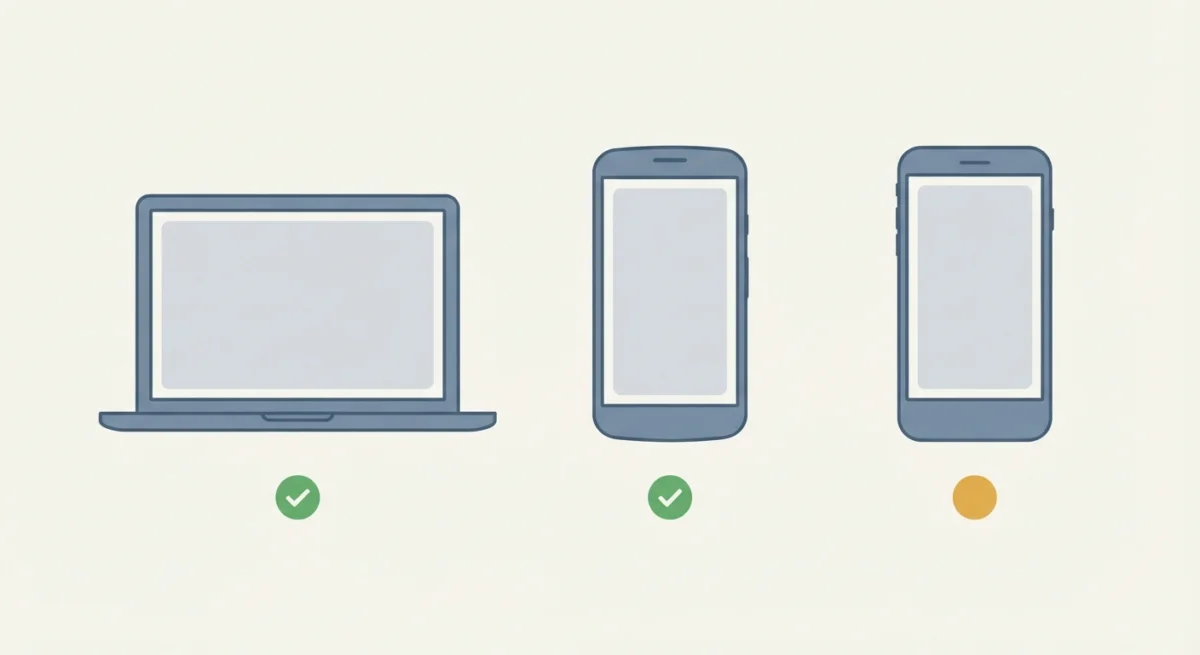
Notably, there is no premium tier, no ads and no locked algorithm. The iOS price is what funds development of everything else. So if you are on Android or a laptop, Anki costs you nothing, ever. If you are on iPhone and unwilling to pay, AnkiWeb in Safari works as a stopgap, though it is awkward on a small screen.
What Quizlet costs
- Free — create and study flashcards, browse public sets, basic flip-card review. Learn and Test modes are capped, and ads are shown. Current plans are listed on Quizlet’s upgrade page.
- Quizlet Plus — $35.99/year, which works out at $2.99/mo, or $7.99/mo if you pay month to month
- Quizlet Plus Unlimited — $44.99/year, around $3.74/mo, removing the usage caps entirely
Of course, there is a seven-day trial on annual plans, but it converts to a full year automatically unless you cancel. Worth noting: Quizlet has no student discount. Verifying a school email does nothing on the consumer plans. The only route to free Plus is a teacher-managed class, a teacher’s assignment, or a licence your school has already paid for.
Overall, across three years of university, Quizlet Plus on annual billing costs about $108. Anki costs $0, or $24.99 once if you study on an iPhone.
Anki vs Quizlet: How Each App Schedules Your Reviews
This is the part that decides which app is right for you, and it is the part most comparisons skip.
Spaced repetition means showing you a card just before you would have forgotten it. Get it right and the gap widens; get it wrong and the card comes back sooner. Done properly, you review each fact a handful of times over a year instead of re-reading it fifty times in a week.

Anki, meanwhile, does this properly. FSRS builds a model of how you forget, per card, and schedules accordingly. For this reason, medical and law students with thousands of cards can keep everything alive on twenty minutes a day.
Quizlet’s Learn mode repeats what you get wrong within a session and across sessions, which helps, but it is closer to adaptive drilling than to true forgetting-curve scheduling. For a fifty-word vocabulary list before a test, admittedly, the difference does not matter. For two thousand cards you need to hold for eighteen months, it matters enormously.
Anki: Strengths and Weaknesses
Where Anki wins
- Genuinely free on desktop, Android and web, with no ads and no feature paywall
- FSRS scheduling that cuts review time for the same retention
- Fully offline — useful if your internet is unreliable or metered
- Millions of shared decks, including well-known community sets for medicine and languages
- Deeply customisable: card templates, image occlusion, cloze deletion, add-ons
- Your data stays yours; decks export as standard files you can move anywhere
Where Anki struggles
- The interface looks dated and the terminology (note types, fields, deck options) is not beginner friendly
- Setup takes real time — expect an hour before it feels natural
- $24.99 on iPhone is a genuine barrier if iOS is your only device
- No built-in AI card generation; that needs add-ons of variable quality
- It is easy to build bad cards, and bad cards waste more time than no cards
In short, Anki rewards patience. If you quit in the first twenty minutes because the settings screen looked intimidating, you will get nothing out of it.
Quizlet: Strengths and Weaknesses
Where Quizlet wins
- You can be studying within two minutes of opening it, on any device
- A very large library of ready-made sets, often matching your exact textbook or course
- Games and match modes that make short vocabulary drilling less tedious
- Clean, modern interface that needs no configuration
- Good for group study, since sets are easy to share with classmates
Where Quizlet struggles
- The free plan has narrowed considerably; Learn and Test modes are now capped
- No true spaced repetition, so long-term retention is weaker
- Ads on the free tier
- No student discount, and no offline access without paying
- Public sets are user-made and frequently contain errors — check before you memorise
Above all, that last point deserves emphasis. A shared Quizlet set with a wrong definition will teach you the wrong definition very efficiently. Always verify a set against your own notes before you drill it.
Anki vs Quizlet by Subject
The right answer to Anki vs Quizlet changes depending on what you are memorising. Here is how the two compare across the subjects where flashcards are used most.
Anki vs Quizlet for medicine, dentistry and pharmacy
Anki, clearly. Above all, the volume is the whole problem: you are holding tens of thousands of facts across several years, and only genuine spaced repetition makes that sustainable. Anki also has the deepest community deck ecosystem here — sets like AnKing, Zanki and Lightyear are maintained by active student communities and mapped to standard curricula. Most medical programmes have an established Anki culture for exactly this reason.
Anki vs Quizlet for law and professional certifications
Anki for the rote layer. Statutes, definitions, tax rules, standards and case names are pure retention problems, and they need to survive until the exam months later. That said, plenty of law students keep Quizlet for its Test mode, because simulating multiple-choice format is something Anki does not do naturally.
Anki vs Quizlet for language learning
Split, and it depends on your timeframe. For a vocabulary list you need by Friday, Quizlet is faster and the games make drilling less tedious. For building real vocabulary over years, Anki is the only one of the two that will still have those words available to you six months later. If you go the Anki route, use sentence cards rather than isolated words — context is what makes vocabulary stick.
Anki vs Quizlet for high school and general university courses
Quizlet, usually. For a single semester of a single module, Anki’s long-term scheduling is overkill and its setup cost is not worth paying. Quizlet’s library also makes it likely someone has already built a set for your exact textbook. Even so, verify it before you drill it.
Anki vs Quizlet for coding and technical subjects
Neither, mostly. Flashcards work for syntax, command flags and terminology, but they do not teach you to build things. Use either app for the vocabulary layer and spend the rest of your time writing actual code.
Anki vs Quizlet: Which One Should You Choose?
In the end, Anki vs Quizlet is less about which app is better and more about what you are trying to remember, and for how long.
| Your situation | Better choice |
|---|---|
| You are studying medicine, pharmacy, dentistry or law | Anki |
| You are learning a language long term | Anki |
| You need a vocabulary list ready for a test next week | Quizlet |
| You study only on an iPhone and cannot pay anything | Quizlet (or AnkiWeb in Safari) |
| You have thousands of cards to keep alive for a year or more | Anki |
| Your internet is unreliable or expensive | Anki |
| You want ready-made sets matching your exact textbook | Quizlet |
| You want AI to generate cards from your notes | Quizlet Plus |
| You are on a strict zero budget | Anki |
| You are revising with classmates and sharing sets | Quizlet |
In addition, there is a perfectly reasonable middle path: use Quizlet for quick, disposable sets and Anki for the material you genuinely need to keep. Plenty of students run both, and neither one stops you.
If you are still building your wider study setup, our guide to the best AI tools for students in 2026 covers where flashcards fit alongside research, note-taking and writing tools.
How to Move Your Quizlet Sets to Anki
Fortunately, if you decide to switch, you do not have to rebuild anything. Exporting takes a few minutes.
- Export your Quizlet set. Open the set on desktop, choose Export, and copy the text with a comma or tab between term and definition.
- Save it as a plain text file. Paste it into any text editor and save as a .txt or .csv file. Keep one card per line.
- Import into Anki. In Anki desktop, go to File then Import, pick your file, choose the deck, and set the field separator to match what you exported.
- Check the first ten cards. Open the deck browser and confirm the front and back landed in the right fields before you study anything.
- Turn on FSRS. Open Deck Options, enable FSRS, and set desired retention to 0.90. Leave the rest of the settings alone until you have studied for a couple of weeks.
Still, one warning applies: do not import ten thousand cards on day one. Anki will schedule them all as new and bury you. Start with one subject, study it for two weeks, then bring the rest across.
How to Make Flashcards That Actually Work
Ultimately, whichever app you pick, the cards matter more than the software. Badly written cards waste time in both apps equally, and this is the part most students get wrong.
- One fact per card. If a card asks for three things, you will half-remember it forever and never be able to grade yourself honestly. Split it.
- Ask a question, do not just show a term. “Mitochondria — ?” is weak. “Which organelle produces most of the cell’s ATP?” forces actual recall.
- Make your own cards where you can. The act of deciding what goes on the card is itself learning. Downloaded decks skip that step, which is why they feel harder to review.
- Add context, not just the answer. A word on its own decays quickly. A word inside a sentence you understand survives much longer.
- Delete cards you keep failing. A card you have failed eight times is a badly written card, not a memory problem. Rewrite it or bin it.
Naturally, this applies to shared sets too. A public Quizlet set with a wrong definition, or a downloaded Anki deck built for a different syllabus, will teach you the wrong thing very efficiently.
Your First Week With Anki
Most people who abandon Anki quit within the first week, and almost always for the same reason: they open Deck Options, see forty settings, and decide the app is not for them. Therefore, here is a plan that avoids that.
- Day 1 — install and do nothing else. Get Anki desktop, create an AnkiWeb account so your progress syncs, and stop there.
- Day 1 — turn on FSRS, then close the settings. Open Deck Options, enable FSRS, set desired retention to 0.90. Do not touch anything else. Genuinely.
- Days 1–2 — make twenty cards. Not two hundred. Twenty cards from one lecture, written by you, following the rules above.
- Days 2–7 — review every single day. Ten minutes. The whole system depends on daily reviews; skipping three days creates a backlog that feels punishing.
- Day 7 — only now consider add-ons. If something specific is annoying you after a week of real use, look for a fix. Not before.
By contrast, the failure mode is importing five thousand cards on day one. Anki will schedule them all as new, hand you a wall of reviews, and you will quit. Start small and let the backlog build naturally.
Beyond Anki vs Quizlet: Other Flashcard Apps Worth Knowing
Anki vs Quizlet dominates the conversation, but they are not the only options. We have no commercial relationship with any of these — they are listed because they genuinely fit gaps the two main apps leave.
- RemNote — combines note-taking and flashcards, so cards come out of your notes rather than being a separate chore. Good if you dislike maintaining two systems.
- Brainscape — simpler than Anki with a confidence-based repetition system. A reasonable middle ground if Anki feels too technical and Quizlet too shallow.
- AnkiWeb in a browser — not a separate app, but worth knowing if you are on iPhone and unwilling to pay $24.99. It works; it is just cramped on a phone screen.
Finally, a word of caution when researching alternatives: most “Anki vs Quizlet” articles online are published by companies selling a third flashcard app, and the comparison exists to sell you that app. Check who wrote what you are reading.
Anki vs Quizlet: Frequently Asked Questions
Is Anki completely free?
Almost. Anki is free and open source on Windows, macOS, Linux and Android, and AnkiWeb syncing and browser access cost nothing. The one exception is AnkiMobile, the official iPhone and iPad app, which is a $24.99 one-time purchase. That single payment funds development of everything else, and there is no subscription or premium tier.
Is Quizlet still free in 2026?
Partly. You can still create flashcards, browse public sets and use basic flip-card review for free. But Learn mode and Test mode now have usage caps, ads appear on the free plan, and the AI features need Quizlet Plus at $2.99/mo on annual billing.
Which is better for medical students?
Anki, by a wide margin. The volume of material in medicine only works with genuine spaced repetition, and the large community decks were built specifically for medical curricula. Almost every study-heavy medical programme has an established Anki culture for this reason.
Does Quizlet have a student discount?
No. Quizlet charges students the same as everyone else and does not verify student status for reduced consumer pricing. The free routes are a teacher-managed class, a teacher’s assignment, or a licence your school has already bought.
Is Anki hard to learn?
The first hour is genuinely awkward. The terminology is unusual and the settings screen is dense. After that it becomes routine. A realistic plan is to install it, import or download one deck, study for a week without touching any settings, and only then start customising.
Can I use Anki and Quizlet together?
Yes, and many students do. Quizlet suits fast, disposable sets for an upcoming quiz; Anki suits anything you need to retain for months. Neither app prevents you from using the other, and sets export between them with a little formatting work.
What is FSRS and do I need to turn it on?
FSRS is Anki’s current scheduling algorithm. It predicts when you are about to forget each specific card and schedules the review just before that point, which usually means fewer reviews for the same retention. It is built in — enable it in Deck Options and set desired retention to 0.90.
Are shared Quizlet sets reliable?
Not automatically. Public sets are made by other users and errors are common, especially in scientific and medical definitions. Check any set against your own lecture notes before you drill it, because a well-designed flashcard app will teach you a wrong answer just as efficiently as a right one.
Which app is better for learning a language?
Anki for long-term vocabulary retention, particularly with sentence cards rather than isolated words. Quizlet is fine for a defined vocabulary list you need by Friday, but it will not keep those words alive six months later.
Does Anki work offline?
Yes, completely. Anki desktop and AnkiDroid store your collection locally and need internet only when you choose to sync. Quizlet needs a connection unless you pay for offline access.
Why do so many medical students use Anki?
Because the volume of material makes anything else impractical. Medical curricula require holding tens of thousands of facts across several years, and spaced repetition is the only realistic way to keep that alive on a manageable daily review load. There is also a large ecosystem of community decks — AnKing, Zanki and Lightyear among them — built and maintained by students for standard curricula.
How long does it take to learn Anki?
Expect the first hour to feel awkward and the first week to feel unfamiliar. A realistic plan is to install it, enable FSRS, make twenty of your own cards, and review daily for a week before changing any settings. Most people who quit Anki quit on day one after opening the settings screen, not because the app failed them.
Anki vs Quizlet: is Quizlet worth paying for in 2026?
It depends on how much you use it. Quizlet Plus at $2.99/mo on annual billing is inexpensive, and it removes the Learn and Test caps, ads and offline restrictions. But if you are paying mainly to get around usage limits, Anki does the same job free with better scheduling. Pay for Quizlet if you value its interface and shared sets, not just to unlock a feature.
Can I import Anki decks into Quizlet?
Not directly. Anki decks use the .apkg format, which Quizlet does not read. You can export an Anki deck as plain text and paste it into a Quizlet set, but you will lose scheduling history, card templates and any image occlusion. Moving in the other direction, Quizlet to Anki, is much simpler.
How we compared these apps
- Every price and plan limit in this guide was checked against each product’s official pricing and help documentation in September 2026, not copied from older round-ups.
- Where monthly and annual billing differ, both figures are shown — annual rates are much lower for Quizlet.
- KnowVixa has no affiliate or commercial relationship with Anki, Quizlet or any app mentioned here.
- Pricing and free-plan limits change often. Confirm on the official site before you subscribe to anything.
Anki vs Quizlet: The Verdict
Anki vs Quizlet is not really a contest between rivals — they are tools for two different jobs. Quizlet is a fast, friendly way to drill a set of facts you need soon. Anki is an investment in remembering things for a long time, and it costs nothing on most devices.
If you only take one thing from this comparison: the app matters far less than whether you actually review on schedule. A mediocre flashcard app you open daily will beat a perfect one you install and abandon. Pick the one you will realistically use, make your own cards where you can, and be sceptical of shared sets.
For the wider picture on what else belongs in a 2026 study setup, see our comparison of the 15 best AI tools for students, which covers research, note-taking, writing and maths tools alongside flashcards.